
Introduction
When starting a robotics or electronics project, one of the first decisions you'll face is choosing between Arduino and Raspberry Pi. Both platforms have revolutionized the maker movement, but they serve fundamentally different purposes.
In this comprehensive guide, we'll break down the key differences, compare specifications, and help you decide which platform is right for your specific project needs.
What is Arduino?

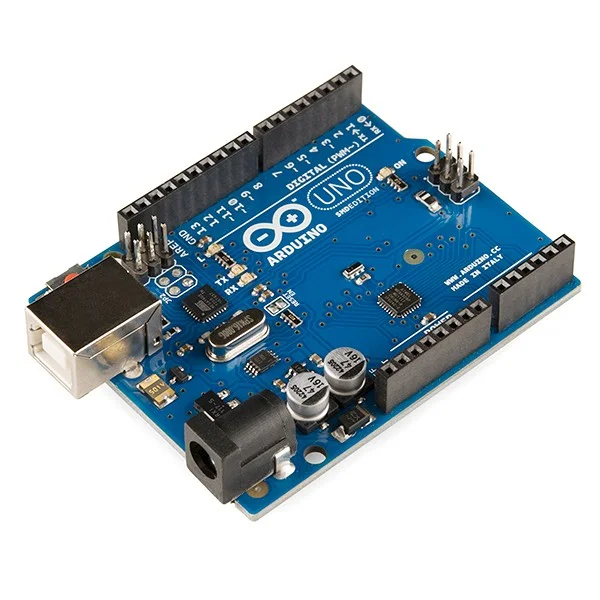
Arduino is an open-source microcontroller platform designed for building simple, real-time electronic projects. Think of it as a dedicated brain for controlling physical devices.
Key characteristics of Arduino:
- Single-purpose operation - runs one program continuously
- Excellent for real-time control - precise timing guaranteed
- Low power consumption - as low as 15mA
- Instant boot time - ready in milliseconds
- Analog and digital I/O pins - direct hardware interaction
What is Raspberry Pi?
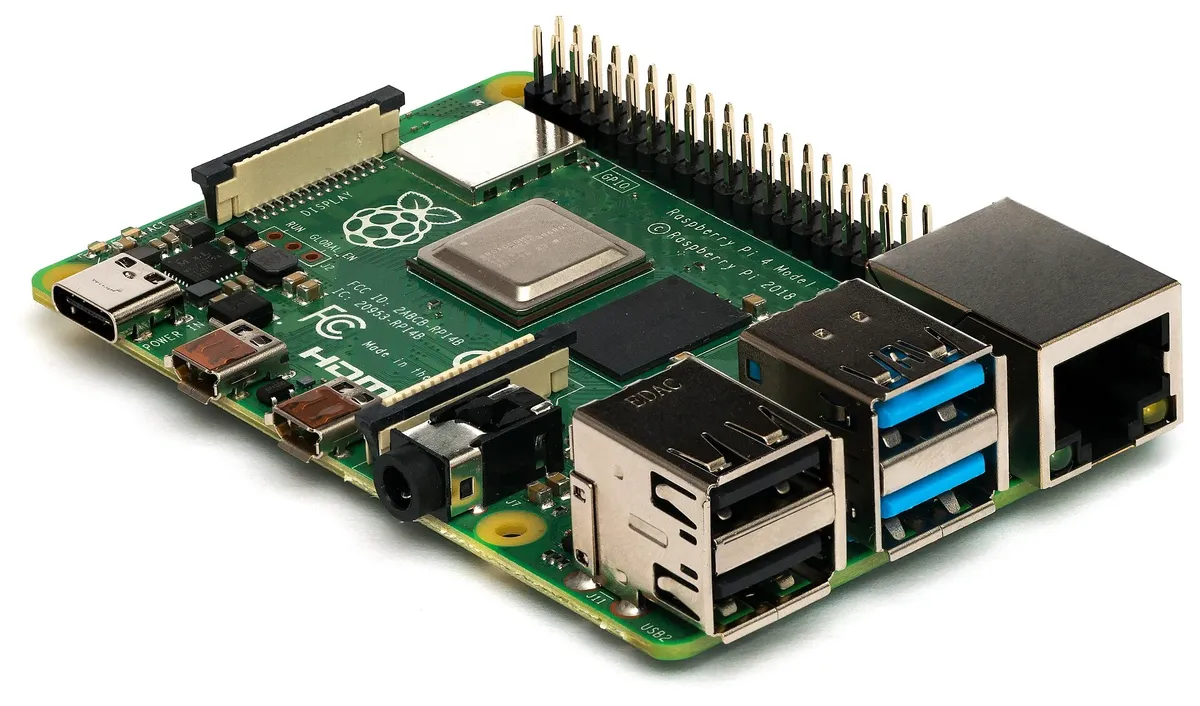
The Raspberry Pi is a complete single-board computer (SBC) running a full operating system. It's essentially a tiny computer capable of running multiple programs simultaneously.
Key characteristics of Raspberry Pi:
- Full Linux operating system - complete desktop environment
- Multitasking - runs multiple programs simultaneously
- Built-in connectivity - WiFi, Bluetooth, and Ethernet
- HDMI output - connect to any display
- USB ports - keyboard, mouse, storage
- Camera interface - for computer vision projects
Hardware Comparison
Let's compare the specifications side by side:
| Specification | Arduino Uno R3 | Raspberry Pi 5 |
|---|---|---|
| Processor | ATmega328P (8-bit) | Quad-core ARM Cortex-A76 |
| Clock Speed | 16 MHz | 2.4 GHz |
| RAM | 2 KB | 4-8 GB |
| Storage | 32 KB Flash | MicroSD (up to 1TB) |
| GPIO Pins | 14 digital, 6 analog | 40 digital only |
| Power Draw | ~50mA | ~3A (600mA idle) |
| Price | ~€25 | ~€60-80 |
Programming Languages

Arduino Programming
Arduino uses a simplified version of C/C++ with the Arduino IDE. The learning curve is gentle, making it ideal for beginners.
void setup() {
 pinMode(LED_BUILTIN, OUTPUT);
}

void loop() {
 digitalWrite(LED_BUILTIN, HIGH);
 delay(1000);
 digitalWrite(LED_BUILTIN, LOW);
 delay(1000);
}
Raspberry Pi Programming
Raspberry Pi supports virtually any programming language, but Python is the most popular choice:
import RPi.GPIO as GPIO
import time

GPIO.setmode(GPIO.BCM)
GPIO.setup(18, GPIO.OUT)

while True:
 GPIO.output(18, GPIO.HIGH)
 time.sleep(1)
 GPIO.output(18, GPIO.LOW)
 time.sleep(1)
Best Use Cases
Choose Arduino for:
- Real-time sensor monitoring - Weather stations, environmental sensors
- Motor control - Robots, CNC machines, 3D printers
- LED projects - Light strips, displays, signage
- Wearable electronics - Low power, compact design
- Battery-powered devices - Excellent power efficiency
Choose Raspberry Pi for:
- Computer vision - Object detection, facial recognition
- Web servers - IoT dashboards, APIs
- Media centers - Kodi, Plex, retro gaming
- Machine learning - TensorFlow Lite, edge AI
- Network projects - Pi-hole, VPN servers
Which Should You Choose?
The choice depends on your project requirements:
Start with Arduino if:
- You need precise timing for hardware control
- Your project is battery-powered
- You're building a dedicated, single-purpose device
- You're a complete beginner to electronics
Start with Raspberry Pi if:
- You need processing power for data analysis
- Your project requires internet connectivity
- You want to run multiple programs
- You need a graphical interface
Pro tip: Many advanced projects use both platforms together - Arduino for real-time hardware control and Raspberry Pi for data processing and network connectivity!
Frequently Asked Questions
Can I use Arduino and Raspberry Pi together?
Yes! Many projects combine both platforms. The Arduino handles real-time hardware control while the Raspberry Pi manages data processing, networking, and user interfaces. They communicate via serial, I2C, or SPI.
Which is easier for beginners?
Arduino is generally easier for electronics beginners due to its simpler programming model and immediate hardware interaction. Raspberry Pi requires more setup but is easier if you already have programming experience.
Can Raspberry Pi do everything Arduino can?
While Raspberry Pi has GPIO pins, it lacks analog inputs and real-time control capabilities. Arduino excels at precise timing for motor control and sensor reading, which the Raspberry Pi's Linux OS cannot guarantee.
Which has better community support?
Both have massive communities. Arduino has more hardware-focused tutorials, while Raspberry Pi has extensive software and Linux resources. Both have active forums, documentation, and countless YouTube tutorials.