
Introduction
Choosing between FDM (Fused Deposition Modeling) and SLA/Resin 3D printing is one of the most important decisions when buying a printer. Each technology excels in different areas.
Quick Answer
- Choose FDM: For functional parts, larger prints, lower ongoing costs
- Choose SLA/Resin: For maximum detail, smooth surfaces, miniatures
Technology Comparison
| Feature | FDM | SLA/MSLA Resin |
|---|---|---|
| Print Method | Extrudes melted filament | UV cures liquid resin |
| Resolution | 50-400 microns | 25-50 microns |
| Surface Finish | Visible layer lines | Smooth, nearly invisible |
| Build Volume | Large (256mm³+) | Smaller (typically <200mm) |
| Material Cost | €15-30/kg | €30-80/L |
| Post-Processing | Remove supports, done | Wash + UV cure required |
| Safety | Safe, ventilation nice | Toxic resin, gloves needed |
| Strength | Excellent (PETG, ASA) | Brittle (standard resins) |
FDM 3D Printing
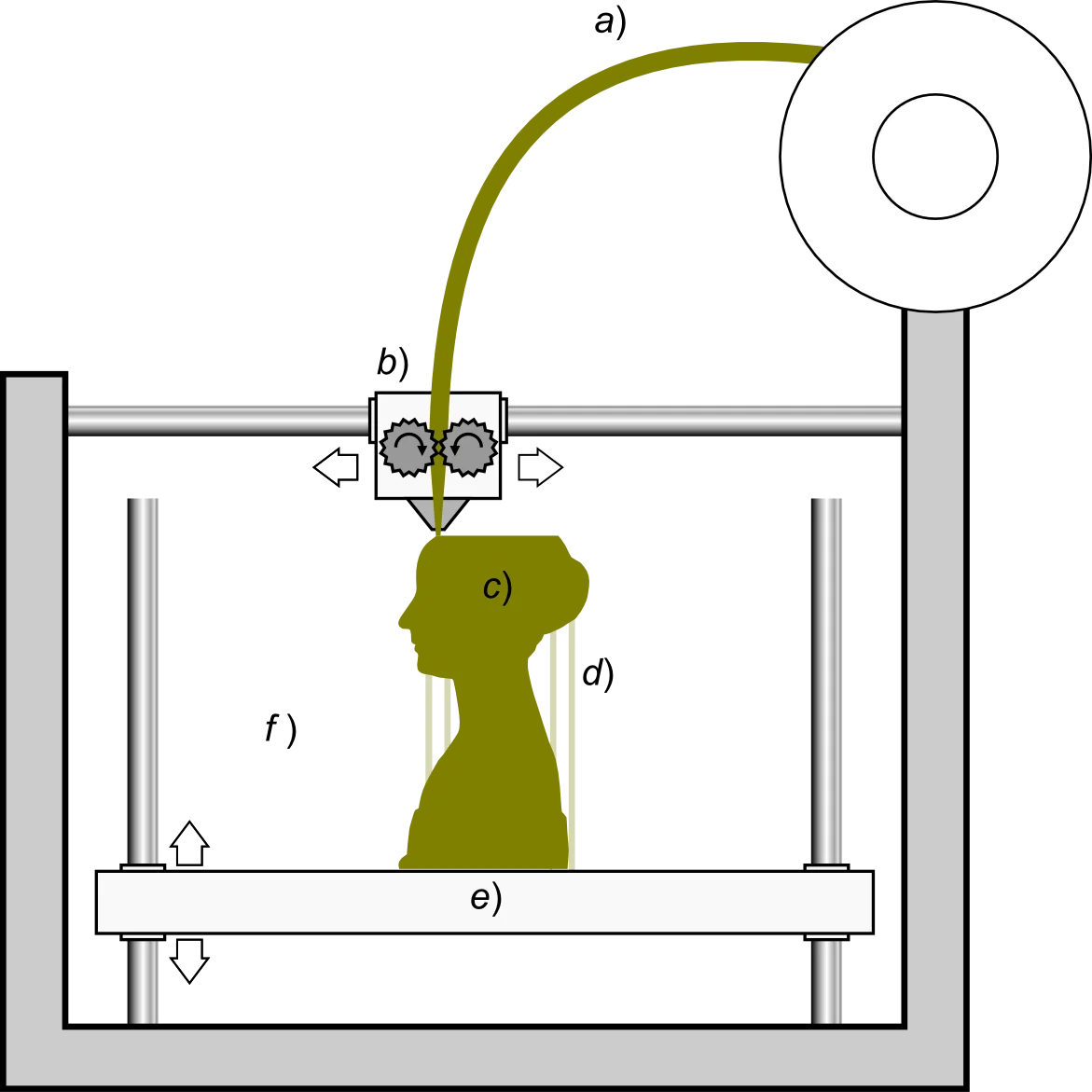
FDM works by melting plastic filament and depositing it layer by layer. It's the most common and accessible 3D printing technology.
FDM Pros
- Large build volumes available
- Wide material selection (PLA, PETG, ABS, TPU, Nylon)
- Low material cost
- Functional parts with good strength
- Simple post-processing
- Safe for home use
FDM Cons
- Visible layer lines
- Limited detail on small features
- Overhangs need supports
- Slower for detailed prints
SLA/Resin 3D Printing
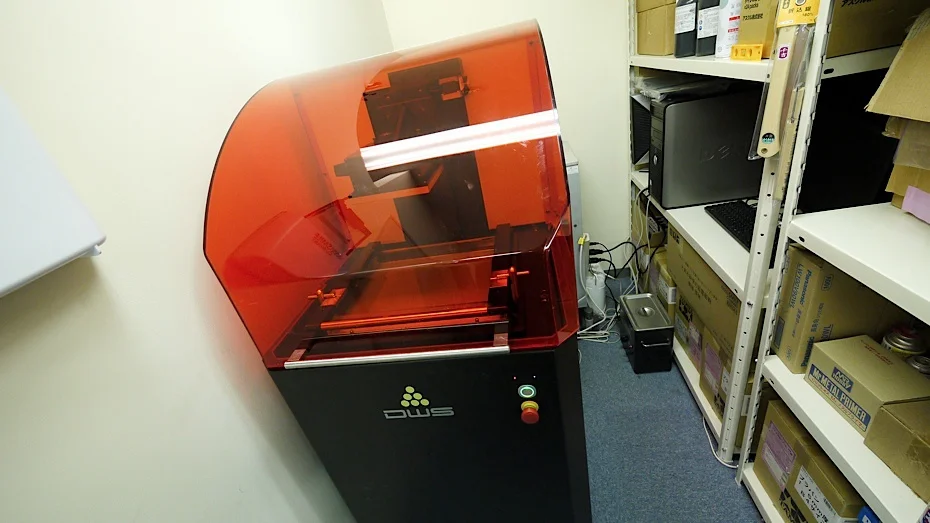
SLA (Stereolithography) and MSLA (Masked SLA) use UV light to cure liquid resin. Modern consumer printers typically use MSLA with an LCD screen to mask the UV light.
Resin Pros
- Exceptional detail and resolution
- Smooth surface finish
- Perfect for miniatures and jewelry
- Fast for many small parts at once
- Variety of specialty resins
Resin Cons
- Smaller build volumes
- Higher material cost
- Requires washing and curing station
- Toxic uncured resin
- Messy cleanup process
- Standard resins are brittle
Post-Processing

FDM Post-Processing
- 1. Remove from bed
- 2. Remove supports
- 3. Optional: Sand and paint
- 4. Done!
Resin Post-Processing
- 1. Remove from bed (with gloves!)
- 2. Wash in IPA (5 min)
- 3. Rinse with water
- 4. UV cure (5-15 min)
- 5. Remove supports
- 6. Sand/finish if needed
Which Technology for Your Project?
| Project Type | Best Choice | Why |
|---|---|---|
| Tabletop miniatures | Resin | Fine detail is critical |
| Functional parts | FDM | Stronger materials, larger size |
| Jewelry casting | Resin | Castable resins available |
| Prototypes | FDM | Fast iteration, low cost |
| Dental models | Resin | Precision required |
| Large props | FDM | Build volume, material cost |
| Flexible parts | FDM (TPU) | Better flexible filaments |
The Verdict
Choose FDM If...
- You need functional parts
- You print large objects
- Budget is a concern
- Printing at home/office
- You want material variety
Choose Resin If...
- Maximum detail matters
- Printing miniatures/models
- Making jewelry masters
- Dental/medical models
- Smooth finish is essential
Shop 3D Printers
Browse our 3D printer collection for both FDM and resin options.
New to printing? Start with our Best 3D Printers for Beginners 2025.
Frequently Asked Questions
Which is better for beginners: FDM or resin 3D printing?
FDM is generally better for beginners due to its safety, lower material costs, and simpler workflow. You don't need ventilation, post-processing is minimal, and failed prints are less wasteful. Resin printing requires careful handling of chemicals, dedicated washing and curing stations, and proper ventilation. However, if your primary interest is miniatures or jewelry, the learning curve for resin may be worth it.
Can FDM printers achieve the same detail as resin printers?
No, resin printers consistently achieve finer details due to their higher resolution (typically 50-100 microns XY resolution vs 400+ microns for FDM). Resin printers can capture intricate textures, fine text, and delicate features that FDM struggles with. However, modern FDM printers with 0.4mm or smaller nozzles can produce impressive results for functional parts and larger models.
How much does it cost to run an FDM vs resin printer per year?
FDM printers cost approximately 390-810 EUR annually for moderate use, including filament, replacement parts, and electricity. Resin printers cost 880-1,760 EUR annually due to higher material costs, consumables like FEP film and IPA, and replacement LCD screens. These estimates assume 200-300 hours of annual printing for hobby use.
Is resin 3D printing toxic or dangerous?
Uncured resin can cause skin irritation and allergic reactions, and should not be touched without gloves. Resin fumes require adequate ventilation or air filtration. However, with proper safety equipment (gloves, ventilation, protective eyewear) and workspace setup, resin printing is safe. Once fully cured under UV light, resin parts are generally safe to handle.
Which technology is better for making functional parts?
FDM is superior for functional parts due to material variety (engineering filaments like nylon, polycarbonate, carbon fiber composites) and larger build volumes. FDM parts can be strong and durable with proper orientation and settings. While engineering resins exist for SLA/resin printing, they're more expensive and build volumes are smaller. For mechanical assemblies, tools, and structural components, FDM is the clear choice.