
Industrial Human-Machine Interfaces (HMI) are the critical link between operators and complex machinery. A well-designed HMI reduces errors, improves productivity, and enhances safety. This guide covers professional design principles that meet industrial standards while creating intuitive, efficient interfaces for manufacturing and automation environments.

Industry Standards and Guidelines
Professional HMI design must comply with international standards for safety and usability:
| Standard | Focus | Key Requirements |
|---|---|---|
| ISA-101 | HMI Lifecycle | Design philosophy, performance, maintenance |
| ANSI/ISA-18.2 | Alarm Management | Alarm prioritization, rationalization |
| IEC 62366 | Usability Engineering | User-centered design, risk analysis |
| EEMUA 201 | Alarm Systems | Maximum 1 alarm per 10 min (steady state) |
Color Standards for Industrial Interfaces
Industrial color coding follows strict conventions to ensure universal understanding across shifts and languages:
Red - Alarms/Emergency
- • Critical alarms requiring immediate action
- • Emergency stop states
- • Dangerous conditions
- • Safety interlocks triggered
Yellow - Warnings
- • Process approaching limits
- • Maintenance required soon
- • Non-critical deviations
- • Attention needed
Green - Normal/Running
- • Equipment running normally
- • Process within limits
- • Safe to proceed
- • Valves open (flow)
Gray - Off/Inactive
- • Equipment stopped
- • Disabled functions
- • Manual override inactive
- • Valves closed
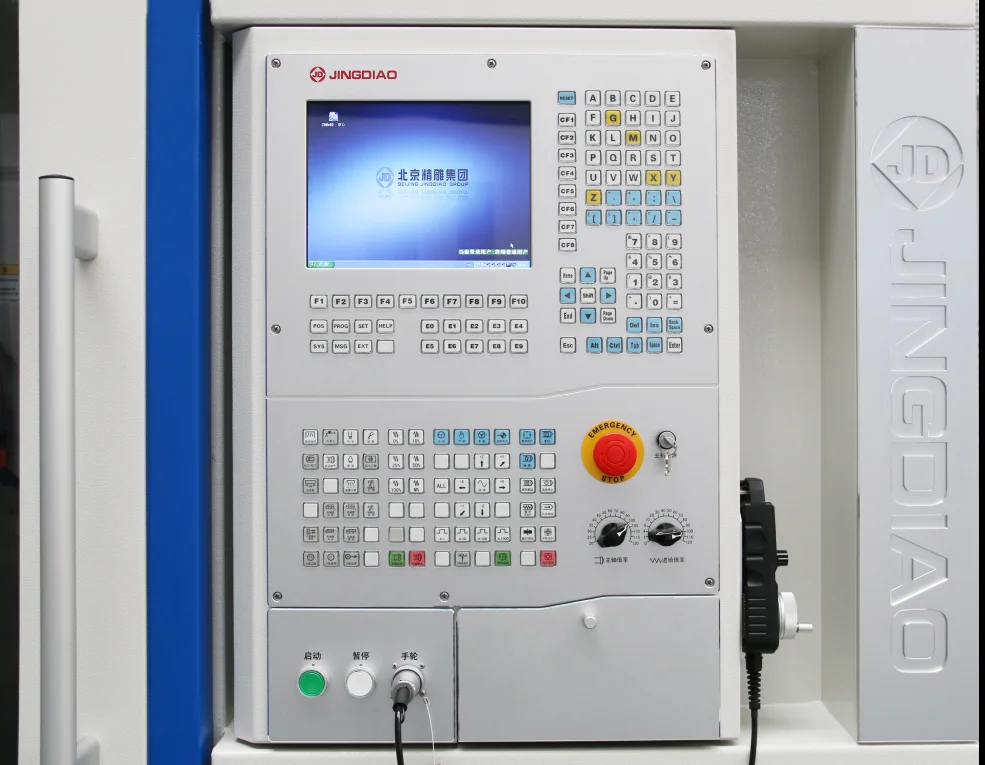
Visual Hierarchy Principles
Effective HMI screens guide the operator's attention to the most important information first:
The 10-10-10 Rule
An operator should be able to: assess overall system status in 10 seconds, identify any abnormal situation in 10 more seconds, and begin taking corrective action in another 10 seconds.
Screen Layout Best Practices
┌─────────────────────────────────────────────┐
│ HEADER: Navigation + Alarms + Time/Date │ ← 10% height
├─────────────────────────────────────────────┤
│ │
│ MAIN CONTENT AREA │
│ Process Visualization │ ← 70% height
│ Interactive Elements │
│ Real-time Data │
│ │
├─────────────────────────────────────────────┤
│ FOOTER: Mode + Status + User Info │ ← 10% height
├─────────────────────────────────────────────┤
│ SOFT KEYS: Context-sensitive actions │ ← 10% height
└─────────────────────────────────────────────┘
Typography for Industrial Displays
| Element | Minimum Size | Recommended Font | Notes |
|---|---|---|---|
| Critical Values | 24-36pt | Roboto Mono, Consolas | High contrast, visible from 2m |
| Labels | 14-18pt | Arial, Helvetica | Readable at arm's length |
| Alarm Text | 16-20pt | Bold sans-serif | Must be instantly readable |
| Touch Targets | 44x44px min | — | For gloved operation: 60x60px |
Implementing with Nextion Displays
Nextion's Editor allows rapid HMI prototyping while following industrial design principles:
// Nextion HMI alarm handling
void handleAlarm(int alarmCode, int priority) {
 // Priority: 1=Critical, 2=High, 3=Medium, 4=Low

 switch(priority) {
 case 1: // Critical - Red background, audible
 nexSerial.print("alarm.bco=63488"); // Red
 nexSerial.print("alarm.pic=1"); // Flash icon
 digitalWrite(BUZZER_PIN, HIGH);
 break;
 case 2: // High - Orange, visible
 nexSerial.print("alarm.bco=64512"); // Orange
 break;
 case 3: // Medium - Yellow
 nexSerial.print("alarm.bco=65504"); // Yellow
 break;
 case 4: // Low - Blue info
 nexSerial.print("alarm.bco=31"); // Blue
 break;
 }

 // Log to alarm history
 logAlarm(alarmCode, priority, millis());
}
Productivity Impact
Well-designed HMIs reduce operator errors by 70-80% and can improve overall equipment effectiveness (OEE) by 10-15%. The investment in proper design pays dividends in reduced downtime and fewer quality issues.
Conclusion
Industrial HMI design is a discipline that balances aesthetics with functionality, safety with efficiency. By following established standards and focusing on operator needs, you can create interfaces that enhance productivity and reduce risk.
Ready to build professional HMIs? Browse our selection of Nextion industrial displays at Robotics3D.
Frequently Asked Questions
What is the difference between industrial HMI design and consumer UI design?
Industrial HMI prioritizes clarity, safety, and efficiency over aesthetics. Operators need to process information quickly, often under stress, and make correct decisions. Industrial HMIs must work in harsh environments (bright light, gloves, vibration), follow safety standards, and minimize operator error. Consumer UIs can be more exploratory and decorative since mistakes rarely cause physical danger.
Why shouldn't I use green color for normal operating equipment?
According to ISA-101 standards, green indicates an active state requiring operator awareness (pump running, valve open). Normal idle equipment should be gray to create a calm, low-stimulation baseline. This allows abnormal conditions to stand out immediately. If everything normal is green, the screen becomes cluttered and alarms are harder to notice.
How can I test my HMI design for color blindness accessibility?
Use color blindness simulator tools (online or software) to view your interface as someone with protanopia, deuteranopia, or tritanopia would see it. Ensure critical information is still distinguishable. Best practice: never rely solely on color - always combine color with text labels, icons, shapes, or position to communicate important information.
Can Nextion displays meet industrial safety standards?
Nextion displays themselves are components, not complete safety systems. For safety-critical applications, the display must be part of a certified safety architecture including hardware safety interlocks, emergency stop circuits, and safety-rated PLCs. The Nextion can display safety status and provide operator interface, but critical safety functions must be implemented in hardware logic independent of the display.
How often should industrial HMI screens be updated with new data?
It depends on process dynamics. Fast-changing processes (machining, packaging) may update every 100-500ms. Slow processes (temperature control, batch processing) can update every 1-5 seconds. Avoid updating faster than necessary - excessive updates consume bandwidth and can make displays harder to read. ISA-101 recommends update rates matched to human perception and process requirements.