
Introduction
Controlling motors is one of the most satisfying Arduino projects you can build. From spinning wheels on a robot to precise positioning in CNC machines, motor control is fundamental to robotics and automation.
What You'll Learn
- Differences between DC, stepper, and servo motors
- How to wire each motor type to Arduino
- PWM speed control for DC motors
- Precise positioning with stepper motors
- Servo motor control with the Servo library
Motor Types Comparison
| Feature | DC Motor | Stepper Motor | Servo Motor |
|---|---|---|---|
| Speed Control | PWM (analog) | Pulse frequency | Fixed speed |
| Position Control | Requires encoder | Open-loop precise | Built-in feedback |
| Torque | High at speed | High at low speed | Moderate |
| Complexity | Simple | Moderate | Very simple |
| Best For | Wheels, fans, pumps | CNC, 3D printers | Robot arms, pan/tilt |
| Typical Driver | L298N, L293D | A4988, DRV8825 | Direct to Arduino |
DC Motor Control
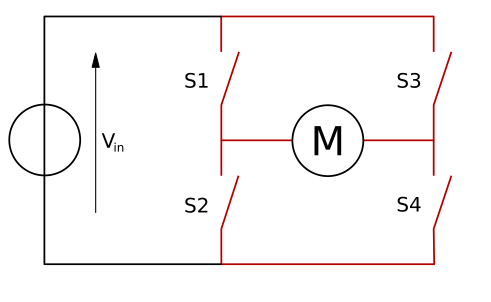
DC motors are the simplest to use but require an H-bridge driver for bidirectional control and to handle the motor's current requirements.
Never Connect Motors Directly to Arduino!
Motors draw too much current and can damage your Arduino. Always use a motor driver like the L298N or L293D.
Wiring with L298N Driver
// L298N Connections:
// ENA → Arduino Pin 9 (PWM for speed)
// IN1 → Arduino Pin 8 (direction)
// IN2 → Arduino Pin 7 (direction)
// Motor → OUT1 and OUT2
// 12V → External power supply
// GND → Arduino GND + Power supply GND
DC Motor Code
const int ENA = 9; // PWM speed control
const int IN1 = 8; // Direction pin 1
const int IN2 = 7; // Direction pin 2

void setup() {
 pinMode(ENA, OUTPUT);
 pinMode(IN1, OUTPUT);
 pinMode(IN2, OUTPUT);
}

void loop() {
 // Forward at 75% speed
 digitalWrite(IN1, HIGH);
 digitalWrite(IN2, LOW);
 analogWrite(ENA, 191); // 0-255
 delay(2000);

 // Reverse at 50% speed
 digitalWrite(IN1, LOW);
 digitalWrite(IN2, HIGH);
 analogWrite(ENA, 127);
 delay(2000);

 // Stop
 analogWrite(ENA, 0);
 delay(1000);
}
Stepper Motor Control
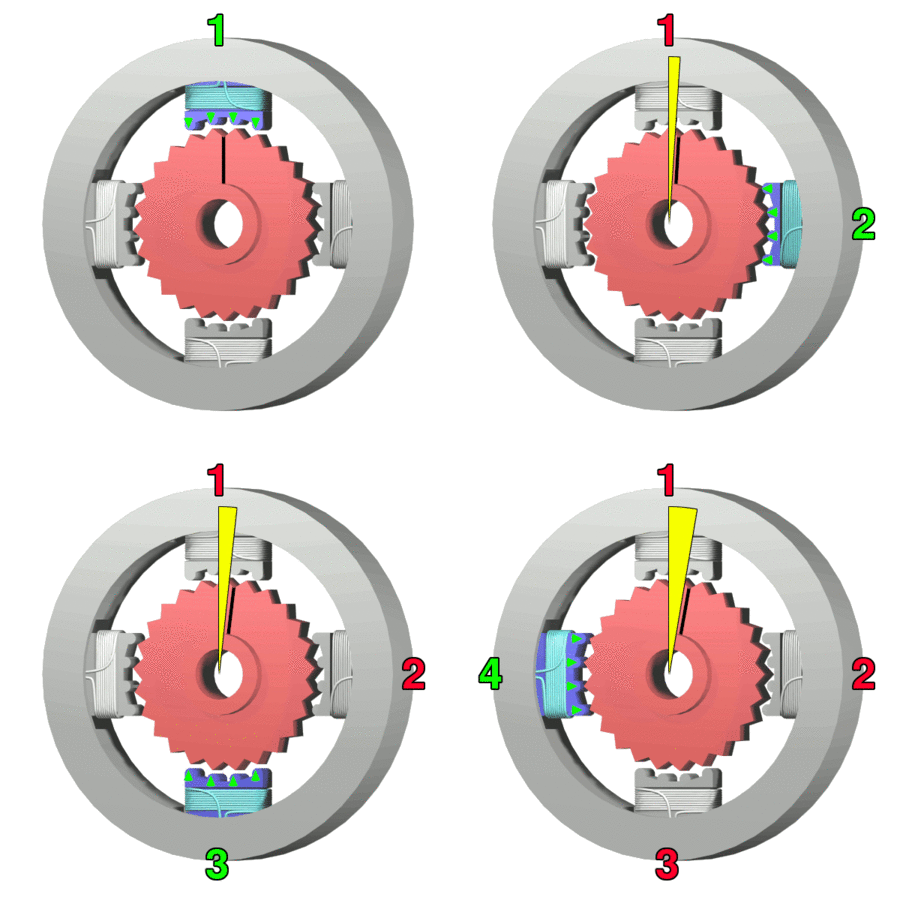
Stepper motors rotate in discrete steps, making them perfect for applications requiring precise positioning without feedback sensors.
NEMA 17 (Common)
- 1.8° per step (200 steps/rev)
- ~1.5A per phase
- Used in: 3D printers, CNC
- Driver: A4988, DRV8825
28BYJ-48 (Hobby)
- 5.625° per step (64 steps/rev)
- ~240mA (5V)
- Used in: Small projects
- Driver: ULN2003 board
Stepper Code with AccelStepper Library
#include <AccelStepper.h>

// A4988 driver pins
#define STEP_PIN 3
#define DIR_PIN 4

AccelStepper stepper(AccelStepper::DRIVER, STEP_PIN, DIR_PIN);

void setup() {
 stepper.setMaxSpeed(1000); // Steps per second
 stepper.setAcceleration(500); // Steps per second²
}

void loop() {
 // Move 200 steps (one full revolution for NEMA 17)
 stepper.moveTo(200);
 stepper.runToPosition();
 delay(500);

 // Return to start
 stepper.moveTo(0);
 stepper.runToPosition();
 delay(500);
}
Servo Motor Control
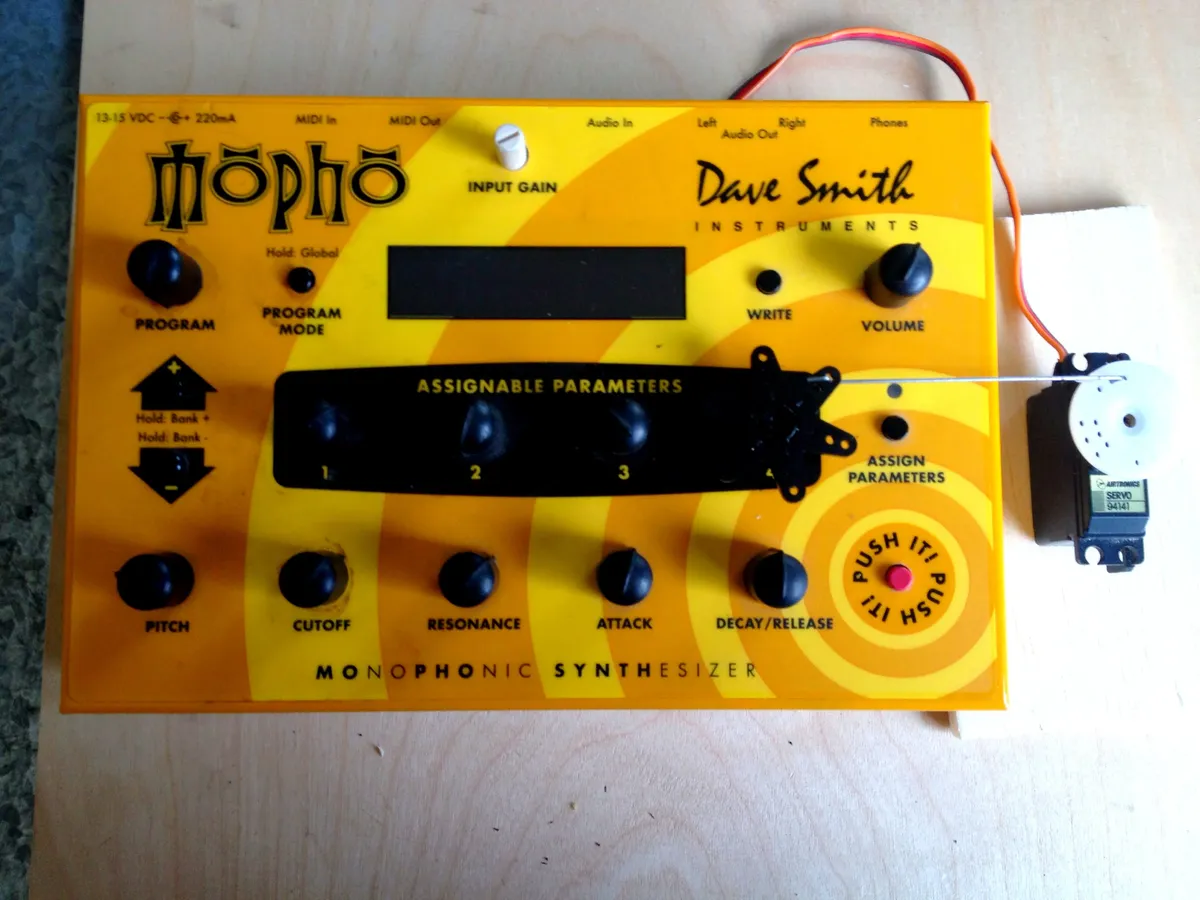
Servo motors have built-in position feedback and are controlled by PWM signals. They're the easiest motors to use with Arduino.
Servo Advantages
Servos can be powered directly from Arduino 5V (for small servos) and only need one signal wire!
Servo Wiring
// Standard servo colors:
// Brown/Black → GND
// Red → 5V (or external 5-6V for larger servos)
// Orange/Yellow → Signal pin (PWM capable)
Servo Code
#include <Servo.h>

Servo myServo;
const int SERVO_PIN = 9;

void setup() {
 myServo.attach(SERVO_PIN);
}

void loop() {
 // Sweep from 0° to 180°
 for (int angle = 0; angle <= 180; angle += 5) {
 myServo.write(angle);
 delay(50);
 }

 // Sweep back
 for (int angle = 180; angle >= 0; angle -= 5) {
 myServo.write(angle);
 delay(50);
 }
}
Project Ideas
Robot Car
DC motors + L298N
Mini CNC
Stepper motors + GRBL
Pan-Tilt Camera
2x Servo motors
Robot Arm
Multiple servos
Auto Guitar Tuner
Stepper + sensor
Auto Vent
Servo + temp sensor
Troubleshooting
Motor doesn't spin
- Check external power supply is connected
- Verify GND is shared between Arduino and driver
- Test motor directly with battery
Motor runs but Arduino resets
- Motor drawing too much current from Arduino
- Add external power supply for motor
- Add capacitor (100µF) across motor terminals
Stepper misses steps
- Reduce speed (lower acceleration)
- Increase driver current (adjust potentiometer)
- Check for mechanical binding
Get the Components
Find motor drivers, stepper motors, and servos in our robotics collection.
For robot building, check out our robot arm guide and servo vs stepper comparison.
Frequently Asked Questions
Can I connect a motor directly to Arduino pins without a driver?
No, never connect motors directly to Arduino pins. Motors draw current (typically 100-2000 mA) that far exceeds Arduino's safe output (40 mA maximum per pin). Direct connection can damage or destroy your Arduino. Always use motor drivers (L298N, A4988, etc.) or transistors to control motors. The only exception is very small servos under 500 mA, which can use Arduino's 5V pin for power but still shouldn't be driven directly by I/O pins for PWM.
What's the difference between DC motors and servo motors?
DC motors provide continuous rotation at variable speeds, perfect for wheels and fans. Speed is controlled by voltage (PWM), and they have no position feedback. Servo motors contain DC motors plus gears and position sensors, providing precise angular control (typically 0-180°). Servos move to and hold specific positions but can't rotate continuously (except continuous rotation servos). Choose DC for wheels/rotation, servo for precise positioning like robotic arms.
Why does my motor work with test code but not in my project?
This usually indicates a power supply or timing issue. Your test code likely has simple movements with delays, allowing the power supply to recover between operations. Complex projects may demand too much current simultaneously, causing voltage drops and brownouts. Solutions: 1) Use higher-capacity power supply, 2) Add large capacitors (1000µF) across power, 3) Sequence motor operations to avoid simultaneous high current draw, 4) Ensure common ground between Arduino and motor power.
How do I choose between bipolar and unipolar stepper motors?
Bipolar steppers have 4 wires, provide higher torque, but require more complex H-bridge drivers (A4988, DRV8825). Unipolar steppers have 5-6 wires, easier to drive with simple transistor arrays (ULN2003), but provide less torque. For serious applications like 3D printers and CNC, choose bipolar (NEMA 17 most common). For learning and light-duty applications, unipolar (28BYJ-48) is simpler and cheaper. Both offer precise position control.
What causes my servo to jitter and how do I fix it?
Servo jitter has several causes: 1) Insufficient power - small servos can use Arduino's 5V, but larger servos need external 5-6V supply (2-3A), 2) Code continuously sending write() commands - send position once then stop, 3) Electrical noise - add 100-470µF capacitor across servo power, 4) Mechanical binding - ensure servo can move freely, 5) Poor quality servo - cheap servos often have noisy internal circuitry. Most jitter resolves with external power supply and proper code structure.