
Introduction
Choosing between Arduino Uno, Mega, and Nano is one of the first decisions new makers face. Each board has strengths for different project types.
Quick Summary
- Uno: Best for learning and prototyping
- Mega: Best for complex projects needing many pins
- Nano: Best for compact/embedded projects
Full Specification Comparison
| Feature | Arduino Uno | Arduino Mega 2560 | Arduino Nano |
|---|---|---|---|
| Microcontroller | ATmega328P | ATmega2560 | ATmega328P |
| Flash Memory | 32 KB | 256 KB | 32 KB |
| SRAM | 2 KB | 8 KB | 2 KB |
| Digital I/O Pins | 14 | 54 | 14 |
| PWM Pins | 6 | 15 | 6 |
| Analog Inputs | 6 | 16 | 8 |
| Serial Ports | 1 | 4 | 1 |
| Clock Speed | 16 MHz | 16 MHz | 16 MHz |
| Size | 68.6 × 53.4 mm | 101.5 × 53.3 mm | 45 × 18 mm |
| USB Type | Type-B | Type-B | Mini-B |
| Price Range | €20-25 | €35-45 | €18-22 |
Arduino Uno
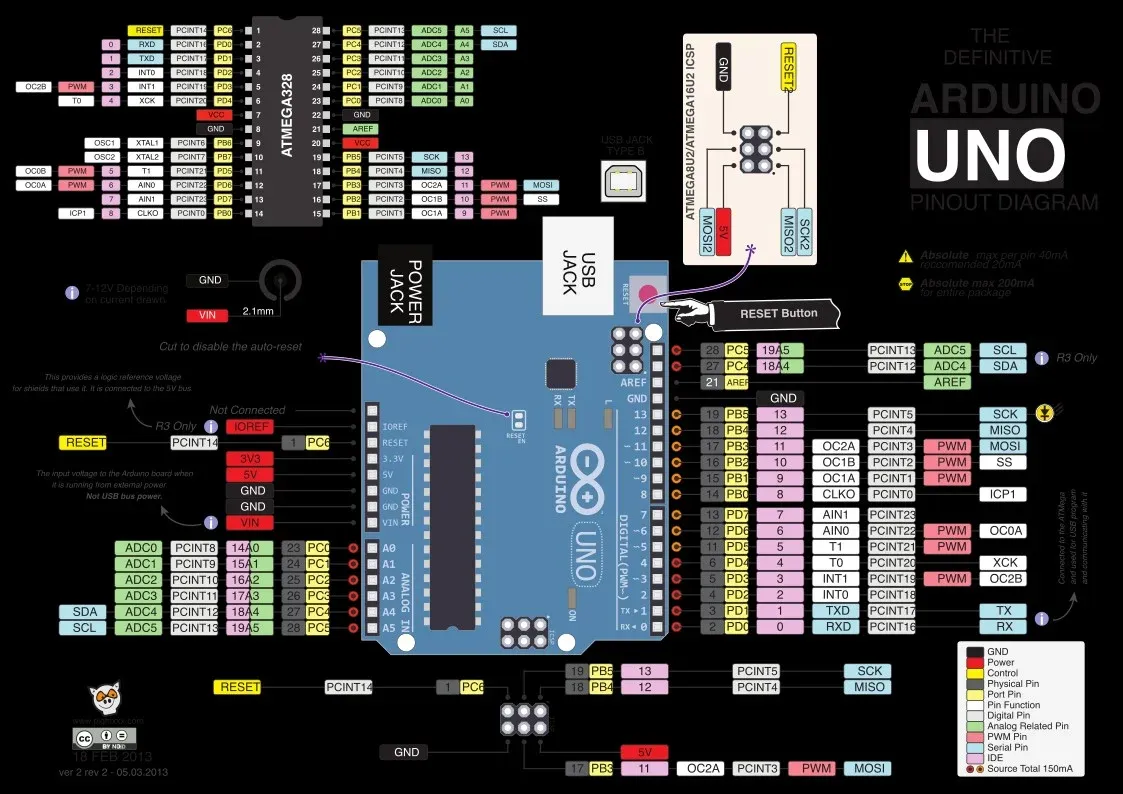
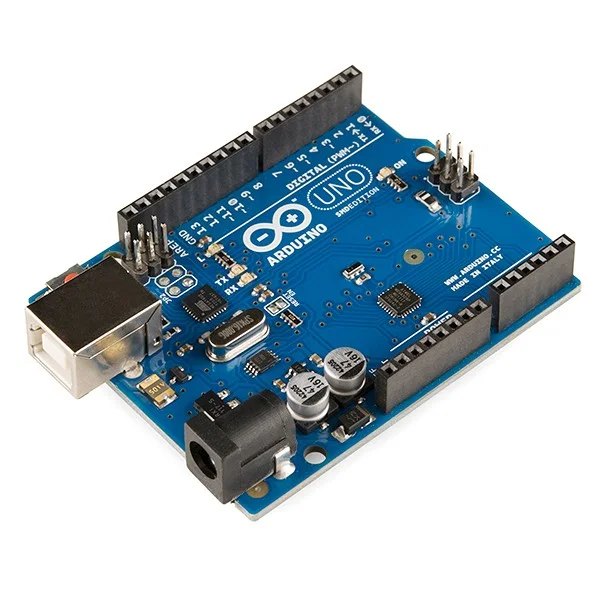
The Arduino Uno is the most documented and widely used Arduino board. It's the reference design that all other boards compare against.
Best For
Learning electronics, prototyping, educational projects, shield compatibility.
Pros
- Most tutorials and examples available
- Best shield compatibility
- Robust design with reset protection
- Easy to replace the ATmega328P chip
- Standard form factor
Cons
- Limited memory for complex programs
- Only 14 digital pins
- Too large for embedded projects
Arduino Mega 2560
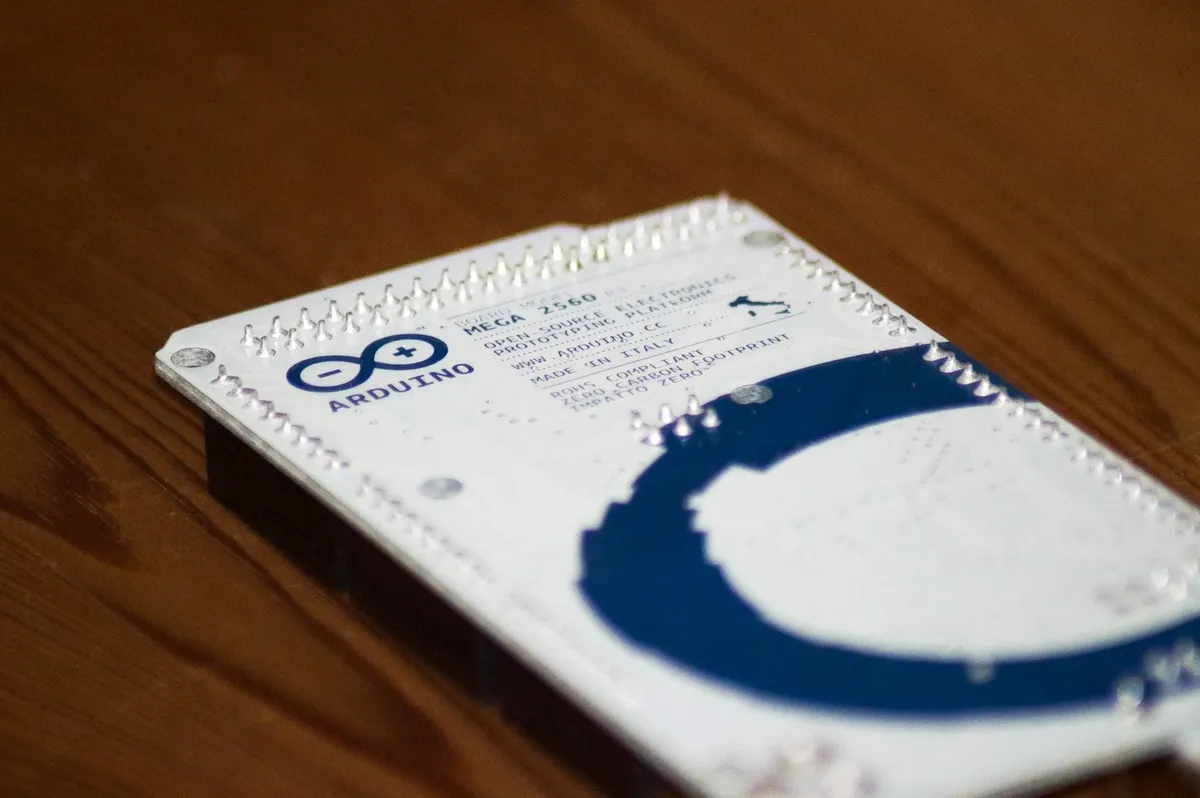
The Arduino Mega 2560 is the powerhouse of the Arduino family. With 8x the flash memory and nearly 4x the pins, it handles projects the Uno simply cannot.
Best For
3D printers, CNC machines, LED matrices, robotics, data logging.
Pros
- 256 KB flash - fit massive programs
- 54 digital I/O pins
- 4 hardware serial ports
- Standard shield compatible (Uno footprint subset)
- More interrupts (6 external)
Cons
- Larger physical size
- Higher cost
- Overkill for simple projects
Arduino Nano
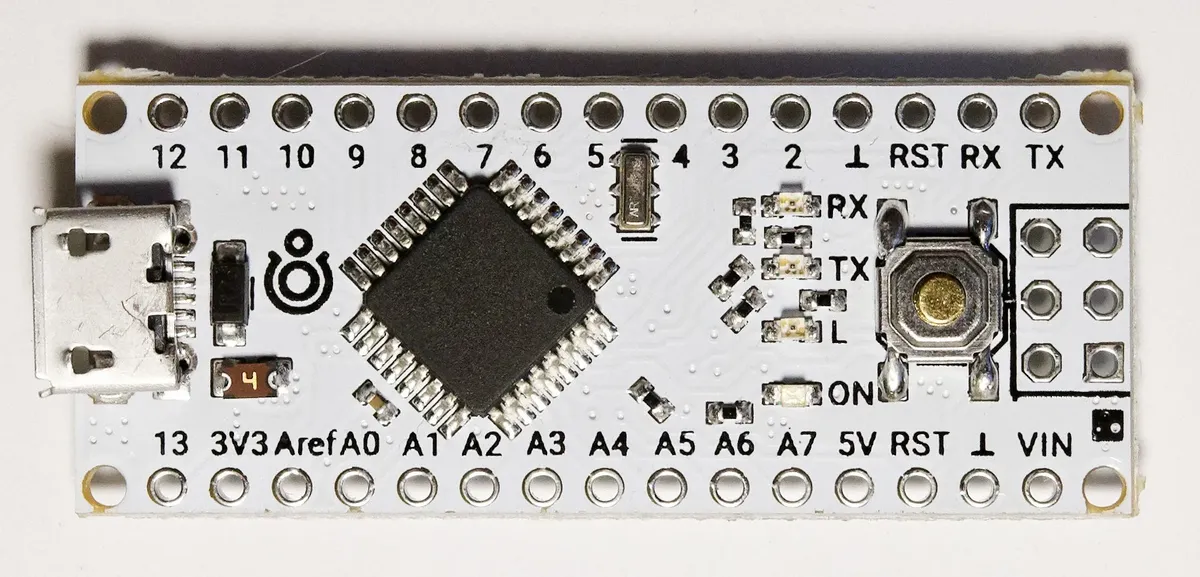
The Arduino Nano packs the same ATmega328P power as the Uno into a tiny breadboard-friendly form factor.
Best For
Wearables, embedded systems, compact projects, permanent installations.
Pros
- Tiny footprint (45×18mm)
- Breadboard compatible
- Same power as Uno
- 2 extra analog inputs (8 vs 6)
- Lower cost
Cons
- No direct shield compatibility
- Mini-USB (older connector)
- No USB protection circuit
Which Board for Your Project?
| Project Type | Best Board | Why |
|---|---|---|
| Learning Arduino | Uno | Best documentation, most tutorials |
| 3D Printer (Marlin) | Mega | Marlin needs 128KB+, many stepper pins |
| LED Matrix (large) | Mega | Memory for patterns, many outputs |
| Wearable electronics | Nano | Smallest size, light weight |
| Home automation sensor | Nano | Compact, permanent install |
| Robot with many sensors | Mega | Many analog inputs, multiple serial |
| Simple motor control | Uno | Motor shield fits directly |
| Breadboard prototype | Nano | Plugs right into breadboard |
Code Compatibility
Good News!
Code written for Uno runs on Nano without changes (same chip). Mega is also compatible for most code - just select the right board in Arduino IDE.
// This code works on ALL three boards!
void setup() {
 pinMode(13, OUTPUT); // Built-in LED
 Serial.begin(9600);
}

void loop() {
 digitalWrite(13, HIGH);
 Serial.println("Hello from Arduino!");
 delay(1000);
 digitalWrite(13, LOW);
 delay(1000);
}
Quick Decision Guide
Arduino Uno
"I'm learning" or "I need shields"
Arduino Mega
"I need more pins" or "Big program"
Arduino Nano
"Space is limited" or "Breadboard"
Shop Arduino Boards
Browse our Arduino collection for boards, shields, and accessories.
For project ideas, see our Best Arduino Starter Kits and Arduino Sensor Projects.
Arduino Board Size Comparison
One of the biggest differences between Arduino Uno, Nano, and Mega is their physical size. If you're wondering about the size of Arduino Uno compared to other boards, or whether Arduino Nano vs Uno makes more sense for your project space, this table breaks it down:
| Dimension | Arduino Uno | Arduino Nano | Arduino Mega 2560 |
|---|---|---|---|
| Length | 68.6 mm | 45 mm | 101.5 mm |
| Width | 53.4 mm | 18 mm | 53.3 mm |
| Area | 3,663 mm² | 810 mm² | 5,410 mm² |
| Weight | 25 g | 7 g | 37 g |
| Breadboard Friendly | No (too wide) | Yes | No (too wide) |
The Arduino Nano is roughly 4.5x smaller by area than the Uno and 6.7x smaller than the Mega. This makes a huge difference between Arduino Uno and Nano for projects where space matters: wearables, drones, embedded installations, and breadboard prototyping all favor the Nano's compact form factor.
The Arduino Mega is the largest board at 101.5 x 53.3 mm, but this extra size accommodates its 54 digital I/O pins and 4 serial ports. When comparing Arduino Mega vs Uno or Arduino Mega vs Nano for size-sensitive applications, the Mega's footprint can be a real constraint.
Which Arduino Should I Choose?
Here is a practical decision tree for choosing between Arduino Uno, Nano, or Mega based on the most common project scenarios in 2026:
Decision Flowchart
- Are you a complete beginner? → Arduino Uno. Most tutorials, best shield support, easiest to learn.
- Do you need more than 14 digital pins or 32KB flash? → Arduino Mega. 3D printers, CNC machines, complex robotics.
- Is your project space-constrained? → Arduino Nano. Wearables, drones, embedded systems, breadboard projects.
- Do you need multiple serial devices (GPS + Bluetooth + sensor)? → Arduino Mega. 4 hardware serial ports.
- Building a permanent installation? → Arduino Nano. Tiny footprint, low cost, solders into custom PCBs.
- Using Arduino shields? → Arduino Uno. Standard shield form factor, plug-and-play.
- Not sure yet? → Arduino Uno. The safest all-around choice for getting started.
Arduino Boards Comparison: Price vs Features Summary 2026
| Factor | Arduino Uno | Arduino Nano | Arduino Mega |
|---|---|---|---|
| Price (original) | €20-25 | €18-22 | €35-45 |
| Price (clone) | €5-10 | €3-7 | €8-15 |
| Best value for | Learning | Compact builds | Complex projects |
| Pins per euro | 0.6-0.7 | 0.6-0.8 | 1.2-1.5 |
Frequently Asked Questions
Can I use Arduino Uno code on Arduino Mega or Nano?
Yes, code written for Arduino Uno typically runs unchanged on both Mega and Nano. All three boards share the same programming environment and core functions. The main difference is that Mega offers additional pins and serial ports that Uno/Nano lack. Code using these extra features won't work on smaller boards without modification, but basic Uno code is fully compatible across all three.
Is Arduino Mega overkill for beginners?
For most beginners, yes. The Mega's capabilities exceed typical beginner project requirements. However, if you're specifically interested in complex robotics or multi-sensor projects from the start, beginning with Mega prevents outgrowing your board quickly. Most educators recommend starting with Uno for learning fundamentals, then upgrading to Mega when project complexity demands it.
Why would I choose Arduino Nano over Uno if they have similar specs?
Choose Nano when physical size matters. The Nano fits compact enclosures, wearable projects, and permanent installations where Uno's size is prohibitive. Nano also inserts directly into breadboards, eliminating jumper wire clutter. Additionally, Nano offers 8 analog inputs versus Uno's 6. The main tradeoffs are losing shield compatibility and getting a more fragile USB connector.
Are compatible Arduino clones as good as genuine boards?
Compatible clones typically work identically to genuine Arduinos since they use the same open-source designs and microcontrollers. Quality varies by manufacturer - premium clones match genuine board quality, while ultra-cheap clones may have durability issues. Main differences appear in PCB quality, USB connector durability, and voltage regulator reliability. For learning and hobby projects, quality clones offer excellent value. Critical applications benefit from genuine boards.
How do I know when I need Arduino Mega instead of Uno?
Upgrade to Mega when you encounter these limitations: 1) Need more than 14 digital or 6 analog pins for your project, 2) Program size exceeds Uno's 32 KB memory, 3) Require multiple hardware serial ports for GPS, Bluetooth, or other serial devices simultaneously, 4) Building robotics with 10+ servos or complex multi-sensor systems. If your Uno project has pins to spare and code compiles easily, Mega is unnecessary.
What is the difference between Arduino Uno and Nano?
The main difference between Arduino Uno and Nano is size and form factor. Both use the same ATmega328P chip with identical processing power, 32KB flash, and 2KB SRAM. The Uno measures 68.6 x 53.4 mm while the Nano is just 45 x 18 mm (4.5x smaller). The Nano fits directly into breadboards and has 2 extra analog inputs (8 vs 6). The Uno supports plug-in shields and has better USB protection. Choose Uno for learning with shields, Nano for compact projects.
What is the size of an Arduino Uno?
The Arduino Uno measures 68.6 x 53.4 mm (2.7 x 2.1 inches) and weighs about 25 grams. For comparison, the Arduino Nano is 45 x 18 mm (much smaller, fits on a breadboard) and the Arduino Mega is 101.5 x 53.3 mm (larger, to accommodate more pins). The Uno's size is designed to match the standard Arduino shield form factor.
Arduino Mega vs Uno: which is better?
Neither is universally better - it depends on your project. The Arduino Mega has 54 digital pins (vs Uno's 14), 256KB flash (vs 32KB), 8KB SRAM (vs 2KB), and 4 serial ports (vs 1). Choose Mega for 3D printers, CNC machines, large LED arrays, or multi-sensor robotics. Choose Uno for learning, simple projects, and when you need shield compatibility. The Mega costs about 50-80% more but offers 4x the resources.
Arduino Nano vs Mega: how do they compare?
Arduino Nano and Mega are at opposite ends of the Arduino spectrum. The Nano is the smallest (45 x 18 mm, 7g) with 14 digital pins and 32KB flash - ideal for compact, embedded projects. The Mega is the largest (101.5 x 53.3 mm, 37g) with 54 digital pins and 256KB flash - designed for complex projects needing many I/O connections. They share the same 16MHz clock speed and Arduino IDE compatibility.
Can I use Arduino Uno or Nano for the same project?
Yes, in most cases Arduino Uno and Nano are interchangeable because they use the same ATmega328P microcontroller. Code written for one runs on the other without changes. The deciding factor is physical: Uno accepts shields directly and is easier for beginners; Nano is breadboard-friendly and ideal when you need a small footprint. Both have 14 digital I/O pins and run at 16MHz.
What are the different Arduino board sizes available?
The three most common Arduino boards come in very different sizes: Arduino Nano (45 x 18 mm) is the smallest and fits on a breadboard; Arduino Uno (68.6 x 53.4 mm) is the standard mid-size board; Arduino Mega (101.5 x 53.3 mm) is the largest with the most pins. There are also other sizes like the Arduino Micro (48 x 18 mm) and Arduino Due (101.5 x 53.3 mm, same size as Mega but with a 32-bit ARM processor).
Which Arduino board should I buy as a beginner in 2026?
For beginners in 2026, start with the Arduino Uno R3 or the newer Arduino Uno R4. The Uno has the most tutorials, examples, and community support of any Arduino board. It works with all standard Arduino shields and is the board used in most courses and books. Once you outgrow it, upgrade to Mega (for more pins/memory) or Nano (for compact builds). A quality Uno clone costs as little as 5-10 EUR.