
Introduction
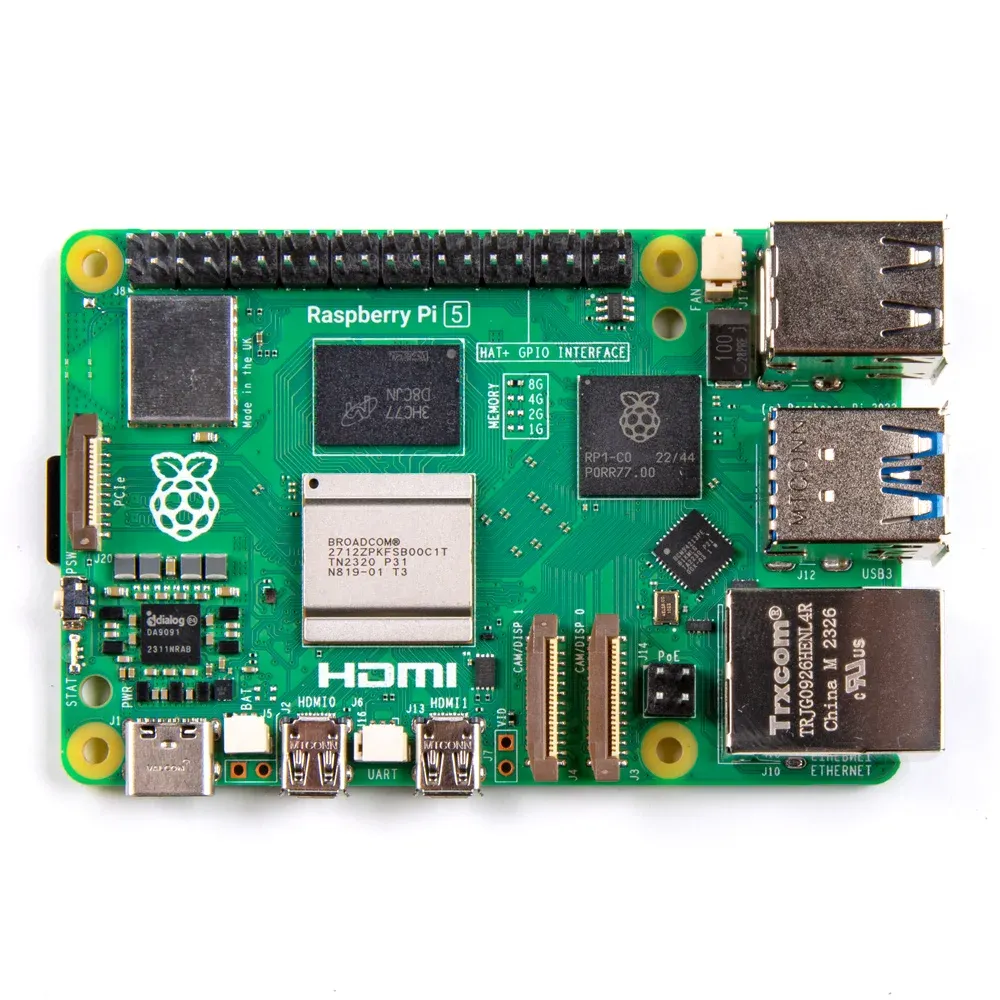
The Raspberry Pi 5 launched in October 2023, bringing major improvements over the Pi 4. But is it worth upgrading? This guide compares both boards to help you decide.
Quick Verdict
- Choose Pi 5: If you need max performance, PCIe, or real-time clock
- Choose Pi 4: If you're on a budget or have existing Pi 4 accessories
Full Specification Comparison
| Specification | Raspberry Pi 5 | Raspberry Pi 4 |
|---|---|---|
| CPU | Cortex-A76 @ 2.4GHz | Cortex-A72 @ 1.8GHz |
| GPU | VideoCore VII | VideoCore VI |
| RAM Options | 4GB / 8GB | 1GB / 2GB / 4GB / 8GB |
| PCIe | PCIe 2.0 x1 | None |
| USB 3.0 | 2x USB 3.0 (5Gbps) | 2x USB 3.0 (via USB hub) |
| Display | 2x 4Kp60 HDMI | 2x 4Kp30 HDMI |
| RTC | Built-in (needs battery) | None |
| Power | 5V/5A (USB-C PD) | 5V/3A (USB-C) |
| Price (4GB) | $60 | $55 |
Raspberry Pi 4
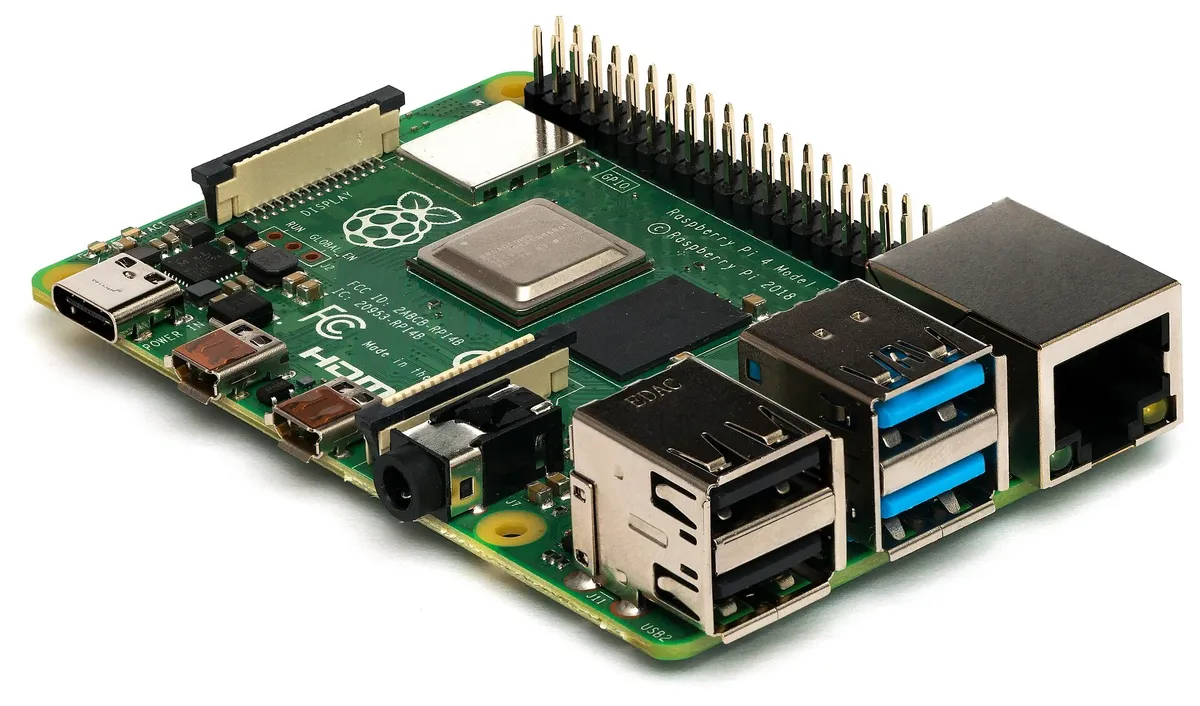
Released in June 2019, the Pi 4 was a major upgrade from Pi 3, introducing USB 3.0, Gigabit Ethernet, and dual 4K displays.
Pi 4 Advantages
- Lower price point
- More RAM options (1/2/4/8GB)
- Huge ecosystem of cases and accessories
- Lower power consumption
- Proven, well-tested platform
Pi 4 Limitations
- Slower CPU (Cortex-A72)
- No native PCIe
- No real-time clock
- USB 3.0 bandwidth shared
Raspberry Pi 5

The Pi 5 is a ground-up redesign with a new custom silicon approach, delivering 2-3x the performance of Pi 4.
Pi 5 Advantages
- 2-3x faster CPU performance
- PCIe 2.0 x1 for NVMe SSDs
- Built-in RTC with battery connector
- Dedicated USB controller (no bandwidth sharing)
- 4Kp60 dual display support
- New RP1 I/O controller chip
Pi 5 Considerations
- Requires new power supply (5V/5A)
- Runs hotter (active cooling recommended)
- New case required (different form factor)
- Some HATs need adapter
GPIO and Connectivity
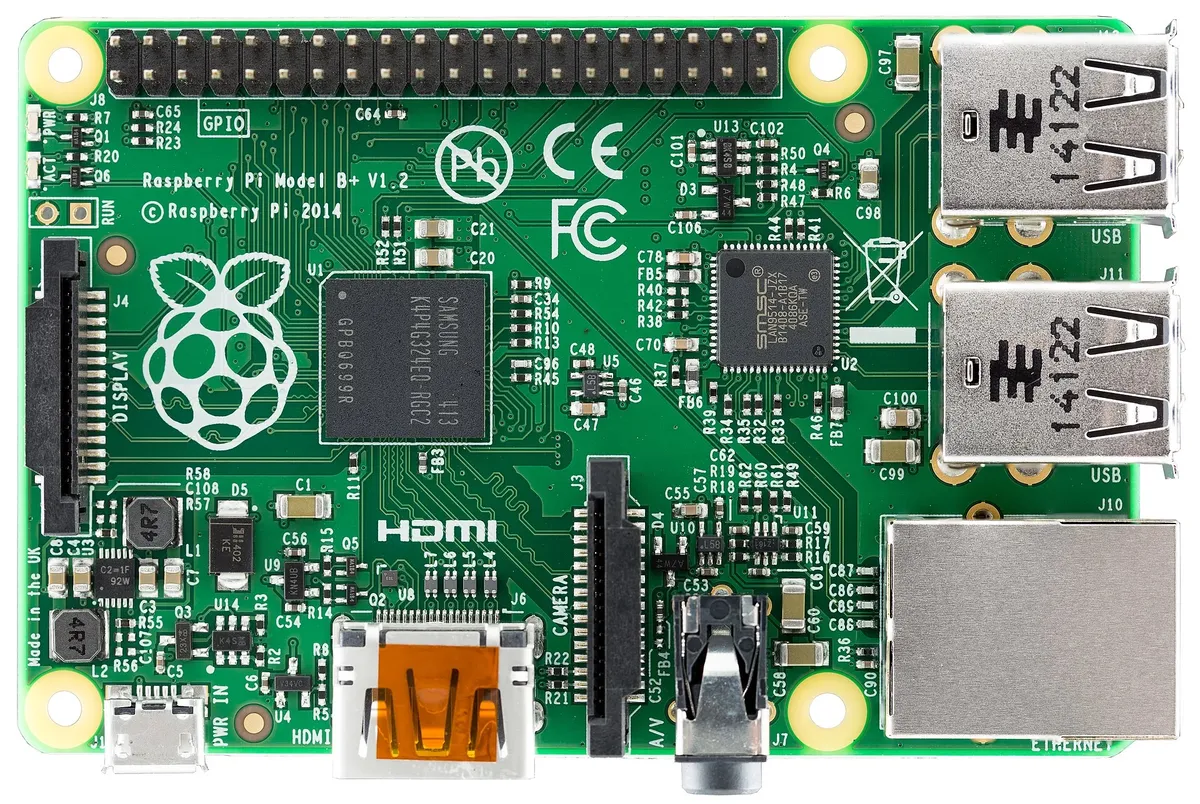
Same GPIO!
Both boards use the same 40-pin GPIO header. Most HATs and accessories are compatible with both (though Pi 5 may need a GPIO stacking header for some cases).
Performance Benchmarks
| Benchmark | Pi 5 | Pi 4 | Improvement |
|---|---|---|---|
| Geekbench 5 (single) | ~850 | ~350 | +143% |
| Geekbench 5 (multi) | ~1600 | ~900 | +78% |
| Compile time (kernel) | ~30 min | ~70 min | 2.3x faster |
| NVMe SSD speed | ~450 MB/s | N/A | Pi 5 only |
Which Should You Choose?
Choose Raspberry Pi 5 For...
- Desktop replacement
- NVMe SSD projects
- Emulation (PS2, GameCube)
- Machine learning/AI
- Home Assistant server
- 4K media center
Choose Raspberry Pi 4 For...
- Learning and education
- GPIO/HAT projects
- Light home automation
- Camera projects
- Budget-conscious builds
- Battery-powered projects
Shop Raspberry Pi
Browse our Raspberry Pi collection for boards, accessories, and kits.
Need cameras? See our Arducam Raspberry Pi Guide.
Raspberry Pi 4 vs 5 Power Consumption
Power consumption is a critical factor when choosing between Raspberry Pi 4 vs 5, especially for battery-powered, solar-powered, or always-on server projects. Here is a detailed Raspberry Pi 4 vs 5 power consumption comparison:
| Workload | Pi 4 (4GB) | Pi 5 (4GB) | Difference |
|---|---|---|---|
| Idle (headless) | 2.1W | 2.7W | +0.6W |
| Idle (desktop) | 2.7W | 3.4W | +0.7W |
| Web browsing | 4.2W | 5.8W | +1.6W |
| 4K video playback | 3.8W | 4.9W | +1.1W |
| CPU stress (all cores) | 6.4W | 12W | +5.6W |
| Max synthetic load | ~8W | ~15W | +7W |
| Required PSU | 5V/3A (15W) | 5V/5A USB-C PD (27W) | Larger PSU needed |
| Annual cost (24/7 idle) | ~€5.50 | ~€7.10 | +€1.60/year |
While the Pi 5 draws more power, its 2-3x performance improvement means it completes tasks much faster and returns to idle sooner. For bursty workloads (compilation, image processing), the Pi 5 can actually use less total energy per task despite higher peak draw. For always-on servers running at low utilization, the difference is minimal (€1-2 per year).
Which Raspberry Pi Should I Buy in 2026?
This is the most common question we hear: Raspberry Pi 4 vs 5, which should I buy? Here is our practical recommendation for 2026:
Buy the Raspberry Pi 5 if...
- You're starting a new project — The Pi 5 costs only €5-10 more and delivers 2-3x better performance
- You need NVMe storage — PCIe 2.0 enables fast SSD boot and data access (Pi 4 cannot do this)
- Running Docker containers or Home Assistant — Extra performance makes a noticeable difference
- Desktop replacement — Web browsing is smooth, dual 4K@60Hz display support
- AI/ML projects — Faster CPU + PCIe for Coral TPU accelerator
- Emulation (PSP, GameCube) — Pi 5 handles systems the Pi 4 cannot
Buy the Raspberry Pi 4 if...
- Budget is the top priority — Pi 4 (especially used) can be found for €30-40
- Simple always-on server — Pi-hole, VPN, print server work great on Pi 4
- Battery/solar powered — Lower power consumption matters for off-grid projects
- You already own Pi 4 accessories — Cases, power supply, and HATs you already have
- Learning platform for kids — Performance difference is irrelevant for basic programming
Our 2026 Recommendation
For most new purchases, the Raspberry Pi 5 8GB is the best value. The €20-30 premium over Pi 4 8GB buys you 2-3x performance, PCIe expansion, and 4+ extra years of relevant performance. The Pi 5 4GB at €60 is the sweet spot if you want to keep costs minimal.
Raspberry Pi Board Price Comparison 2026
| Board | MSRP | Street Price (EU) | Best For |
|---|---|---|---|
| Pi 4 2GB | $45 | €40-50 | Basic servers, GPIO projects |
| Pi 4 4GB | $55 | €50-65 | General purpose, media center |
| Pi 4 8GB | $75 | €70-85 | Desktop, Docker, development |
| Pi 5 4GB | $60 | €55-70 | Best value new purchase |
| Pi 5 8GB | $80 | €75-95 | Recommended choice 2026 |
Frequently Asked Questions
Is the Raspberry Pi 5 backward compatible with Pi 4 accessories?
Partially. The Pi 5 uses the same form factor and GPIO pinout, so HATs are compatible. However, it requires a new 5V/5A power supply (27W USB-C PD). Pi 4 cases won't fit Pi 5 due to different port layout. Camera connectors changed too - you may need new cables.
How much faster is Raspberry Pi 5 compared to Pi 4?
The Pi 5 delivers 2-3x performance improvement in most workloads. Single-threaded tasks see ~2.4x improvement (Cortex-A76 vs A72), while multi-threaded tasks can achieve 2-3x speedup. Compilation is roughly 2.3x faster. Graphics performance improved even more, with dual 4K@60Hz display support and Vulkan 1.2.
Raspberry Pi 4 vs 5: which should I buy in 2026?
For new purchases in 2026, the Raspberry Pi 5 is the better choice for most users. It costs only 5-10 EUR more than Pi 4 but delivers 2-3x performance, PCIe for NVMe SSDs, and better future-proofing. Only choose Pi 4 if you need the lowest power consumption, already have Pi 4 accessories, or are on a very tight budget.
What is the power consumption of Raspberry Pi 4 vs 5?
The Pi 4 draws 2.7W idle and 6.4W under full CPU load. The Pi 5 draws 3.4W idle and 12W under full load. The Pi 5 requires a 5V/5A USB-C PD power supply (27W) while the Pi 4 uses a 5V/3A supply (15W). For always-on servers, the difference is roughly 1-2 EUR per year in electricity. The Pi 5's higher power is offset by completing tasks 2-3x faster.
Can I use the same SD card from Pi 4 in Pi 5?
The SD card will physically work, but a fresh installation is strongly recommended. The Pi 5 requires Raspberry Pi OS Bookworm or newer, and its updated firmware and drivers deliver better performance. For best results, backup your data and do a clean install on Pi 5.
Does Raspberry Pi 5 require active cooling?
For light use (web browsing, basic servers), passive cooling is enough. For sustained heavy workloads (compilation, AI inference, 24/7 servers), active cooling is highly recommended. Without cooling, the Pi 5 throttles at 85 degrees C under load. The official Active Cooler costs 8-12 EUR and keeps temperatures below 55 degrees C even under full load.
What are the Raspberry Pi 5 performance benchmarks in 2026?
Key Raspberry Pi 5 benchmarks: Geekbench 5 single-core ~850 (vs Pi 4's ~350), multi-core ~1600 (vs ~900). Linux kernel compilation takes ~30 minutes (vs ~70 minutes on Pi 4). NVMe SSD read speeds reach ~450 MB/s via PCIe (unavailable on Pi 4). JavaScript performance (Octane 2.0) scores ~23,000 vs Pi 4's ~8,500. Boot time is ~18 seconds vs ~35 seconds.
Is it worth upgrading from Raspberry Pi 4 to 5?
If your Pi 4 handles your workload well, there's no urgent need to upgrade. Upgrade if you experience performance bottlenecks, want NVMe SSD storage, need better desktop browsing, or plan demanding projects (AI, Docker, compilation). The Pi 5 also has 4+ more years of software support ahead. You can sell your used Pi 4 for 30-40 EUR to offset the upgrade cost.
What is the PCIe interface on Raspberry Pi 5 used for?
The PCIe 2.0 x1 interface enables NVMe SSD storage (400+ MB/s, compared to ~50 MB/s SD cards), AI accelerators (Google Coral TPU), high-speed network cards (2.5GbE/10GbE), and video capture cards. This is exclusive to Pi 5 - the Pi 4 has no PCIe. An M.2 HAT+ adapter (10-15 EUR) is needed to connect NVMe drives.
Raspberry Pi 4B vs 5: what changed?
The Pi 5 is a ground-up redesign compared to the Pi 4B: new CPU (Cortex-A76 at 2.4GHz vs A72 at 1.8GHz), new GPU (VideoCore VII with Vulkan 1.2), PCIe 2.0 slot, dedicated USB controller (no more shared bandwidth with Ethernet), built-in real-time clock, power button, faster LPDDR4X RAM, and a custom RP1 southbridge chip. The GPIO header and form factor remain similar but the board layout changed, so Pi 4 cases don't fit.